
Help center › Reports and accounting
The Today screen: how your business is doing
Today is the first thing an admin sees after signing in. It shows how the day is going at a glance.
The numbers at the top
- Today's sales: what you've sold today, compared with the same weekday last week at the same time.
- Transactions: how many sales so far and the Average ticket.
- Cash in drawer: what should be in the drawer for the open shift. Below it, what came in by card and Zelle.
- Overdue receivables: what customers owe on invoices past due. Tap see customers to collect.
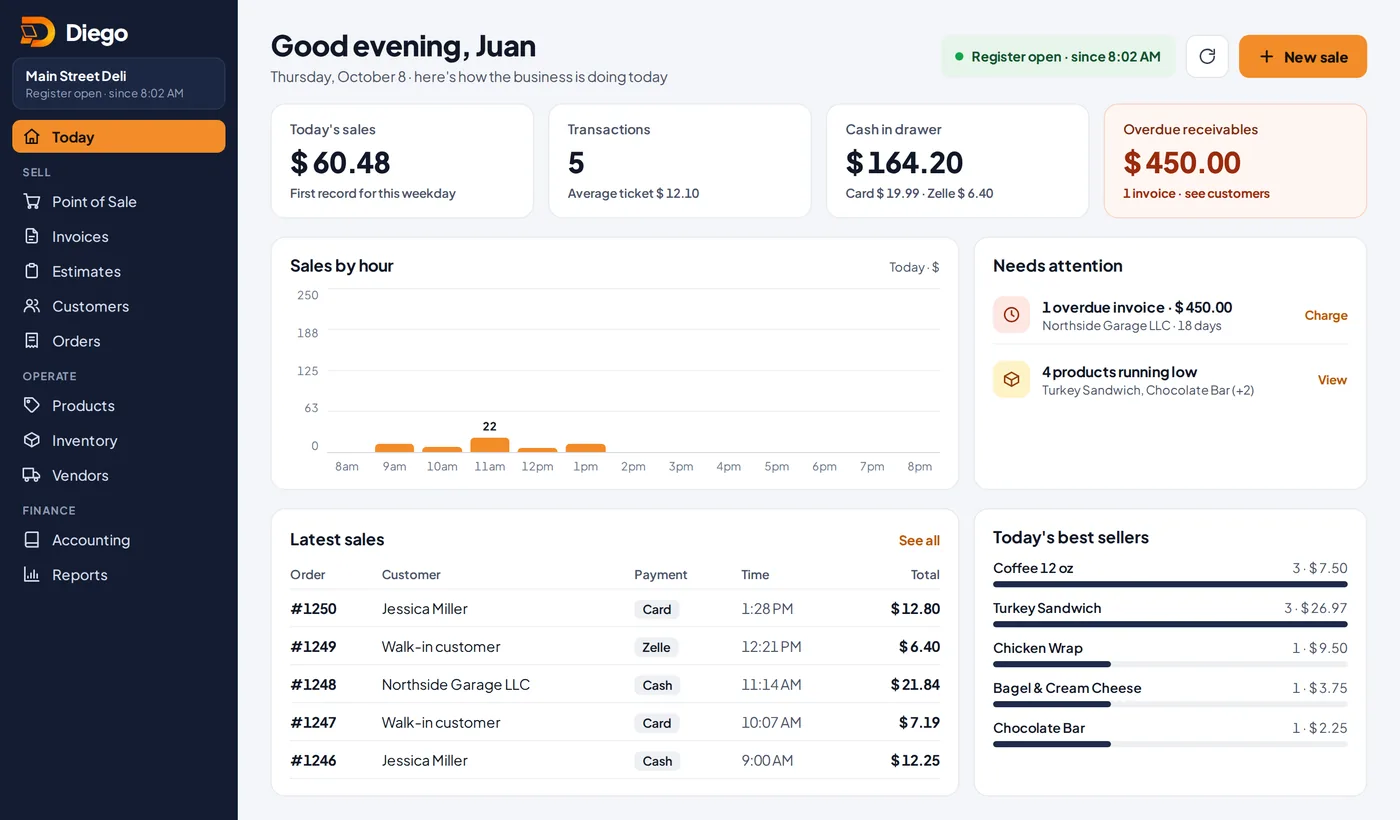
The Today screen.
The rest of the screen
- Sales by hour: your busiest hours.
- Needs attention: overdue invoices, products running low, the register not open, QR orders or today's appointments. Each one has a button.
- Latest sales and Today's best sellers.
Related articles
Sales reportsSee your sales by day, payment method, product and user. Download to Excel or CSV, or get the report by email every day.Open and close a shift (cash count)Record the starting cash, switch cashiers with a PIN and close the shift by comparing expected cash with what you counted.Customers and account statementsAdd your customers, see what they owe and for how long, download their statement as a PDF and remind them by WhatsApp.
Still have questions?
Write to us and we'll reply within one business day.