
Help center › Selling and getting paid
Customers and account statements
Customers lists everyone you sell to, what they've bought and what they owe you.
Add a customer
- In the left menu, tap Customers, then + New Customer.
- Enter the Full name (the only required field), Email, Phone, EIN and Address.
- If the customer doesn't pay sales tax, check Tax exempt and enter their exemption certificate #.
- Tap Save. To change their details later, tap Edit on their row.
See what they owe
- The Balance due column shows what each customer owes. Tap the With balance button above the list to see only customers who owe you, oldest overdue first.
- Tap a customer's name to open their Profile. The Account statement shows the total, how many days overdue it is, and how much is Current, 1-30, 31-60, 61-90 and Over 90 days.
- Below it are the Overdue and Not yet due invoices, and the Purchase History.
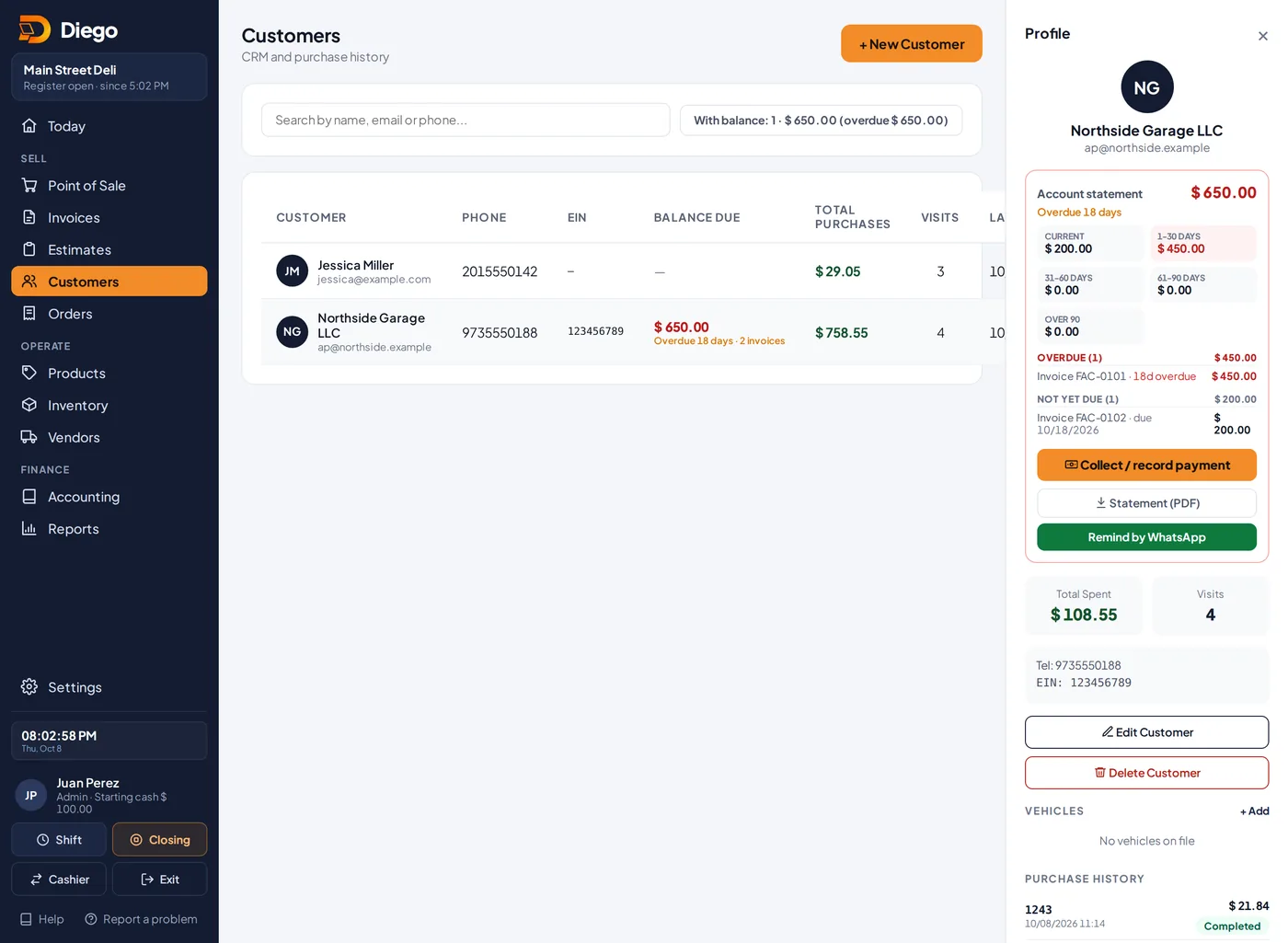
A customer profile with the account statement.
Collect or send a reminder
- 💵 Collect / record payment: record a payment against one or more invoices.
- ⬇ Statement (PDF): download a PDF with every document, its due date, days overdue and the total owed.
- Remind by WhatsApp: opens a ready-made message listing the open invoices. Check it and tap Open WhatsApp.
Related articles
Collect payments from your customersRecord full or partial payments on one or several invoices, with payment method, reference and a receipt for the customer.Create a cash or on-account invoiceCreate invoices paid now or on account with payment terms, and send them by email or WhatsApp.Send receipts, invoices and reminders by WhatsAppHow to send a sale receipt, an invoice, an estimate or a payment reminder by WhatsApp.
Still have questions?
Write to us and we'll reply within one business day.