
Help center › Selling and getting paid
Collect payments from your customers
You can collect several invoices from a customer at once, or apply a payment from a single invoice.
Collect from the customer's profile
- Go to Customers. Tap the collect button on the customer's row, or open their profile and tap the collect / record payment button.
- Enter the Amount received and tap Apply: Diego applies it to the most overdue invoice first. All collects the full balance.
- Or enter an amount on each invoice: tap Full or type a partial payment.
- Choose the Payment method: Cash, Card, Zelle or Check. For checks and transfers you can add a Reference.
- Check the Payment date (it can't be in the future) and tap Record payment.
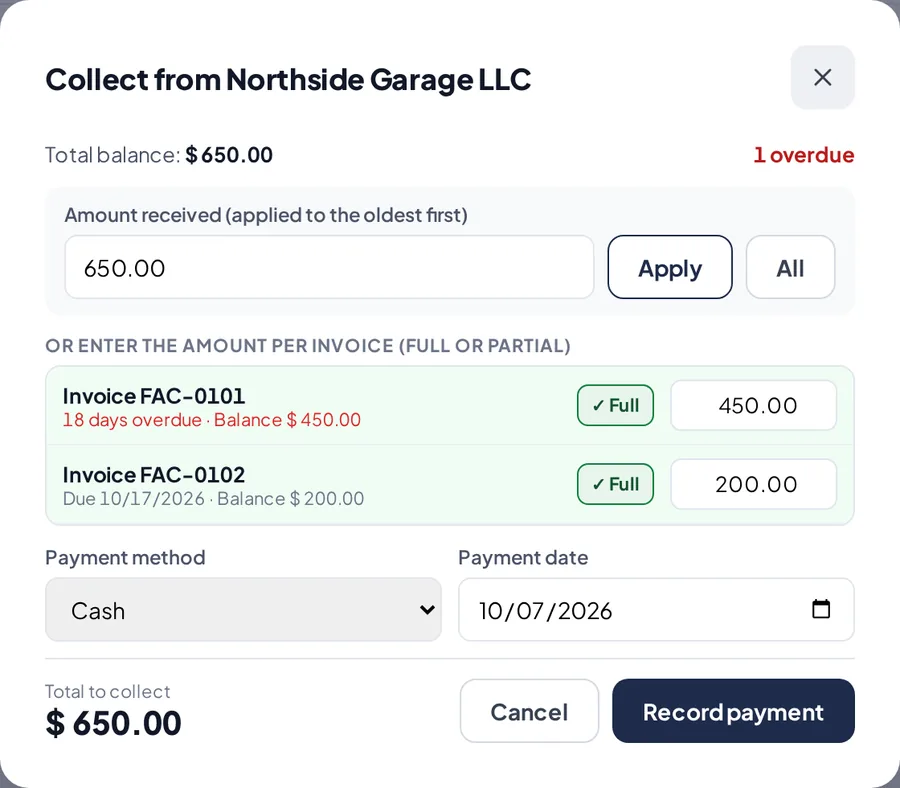
Collecting two invoices at once.
Give the receipt
- The payment screen shows what's left on each invoice.
- Print the receipt or send it by WhatsApp, then tap Done.
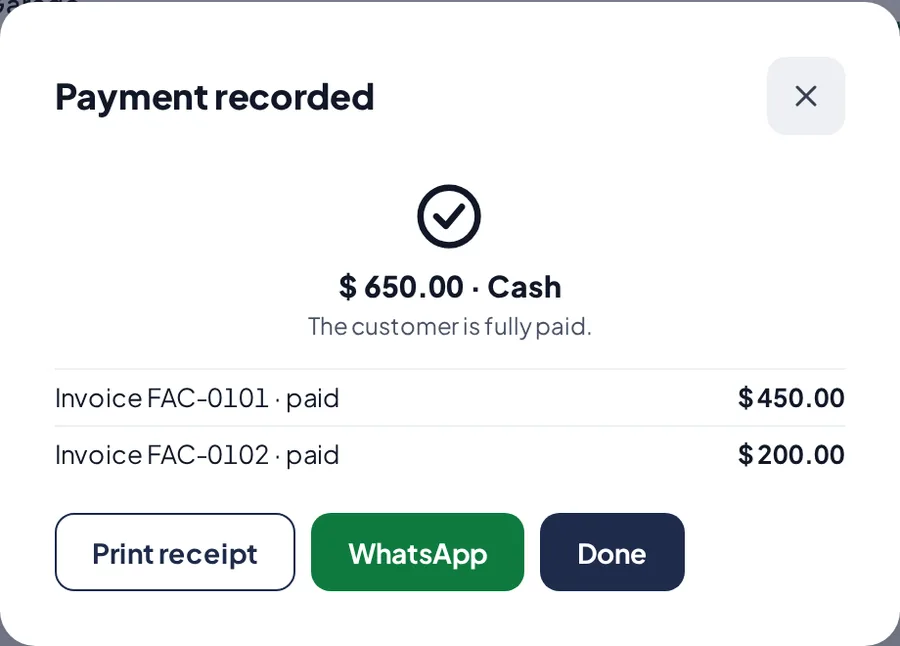
The recorded payment and its receipt.
Collect from the invoice
- Open the invoice in Invoices. In the payment section, choose the method and amount and confirm. Full Payment collects the whole balance.
Related articles
Still have questions?
Write to us and we'll reply within one business day.