
Help center › Selling and getting paid
Make a sale at the Point of Sale
The Point of Sale is built to check out fast. It works on a computer or a tablet.
Add products
- Tap Point of Sale in the left menu.
- Tap a product to add it. You can filter by category or type in the search box.
- With a barcode scanner, just scan: the product is added automatically.
- In the current order, use + and − for quantity and × to remove an item. Clear empties the whole order.
Get paid
- If the sale is for a saved customer, choose them above the order. Otherwise it stays as a walk-in customer.
- Choose the payment method: Cash, Card or Zelle.
- For cash, enter the amount received or tap Exact or a bill. Diego calculates the Change.
- Tap Charge $….
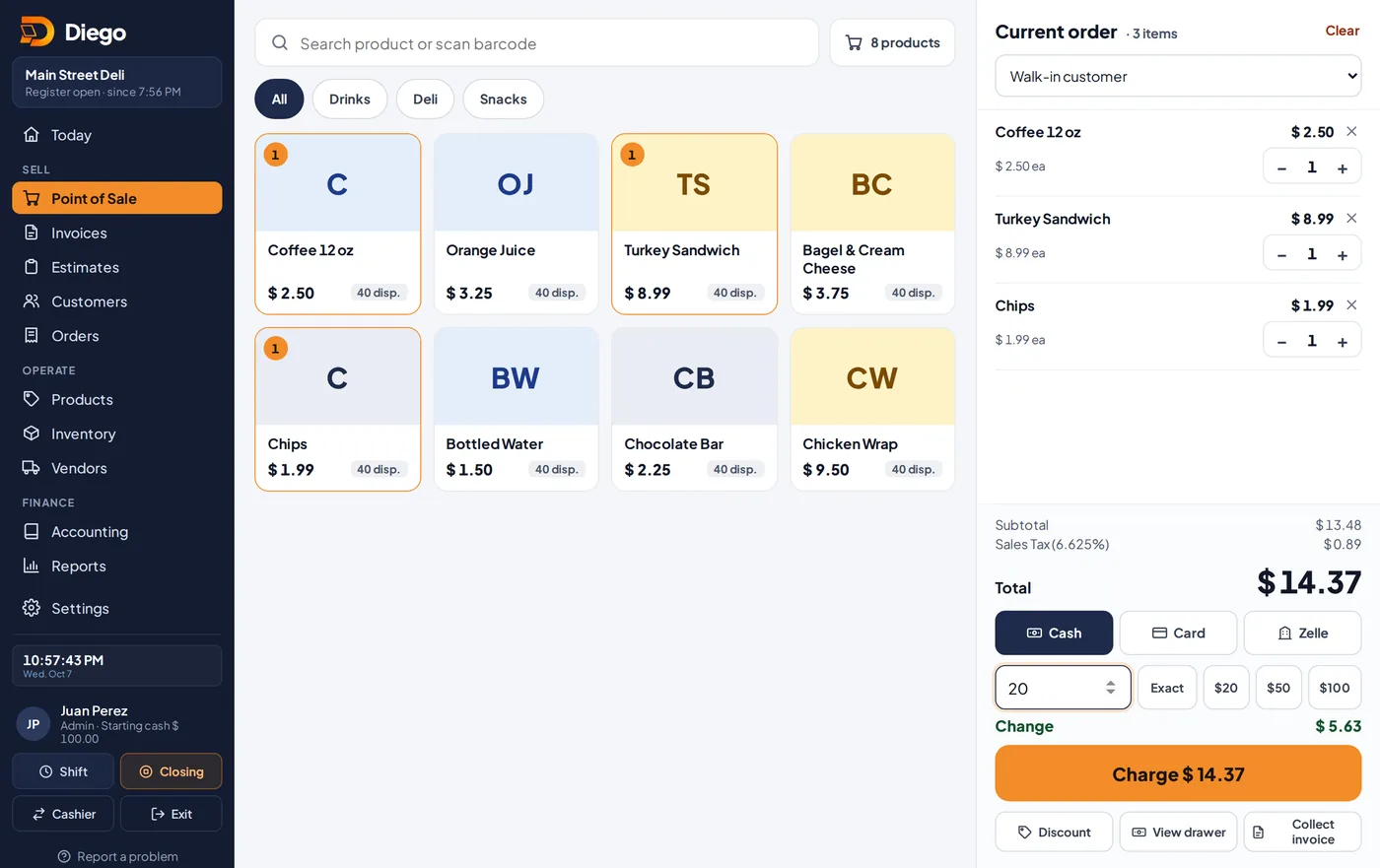
The Point of Sale with an order ready to charge.
Give the receipt
- Tap Print for a paper receipt or Send receipt by WhatsApp to text it to the customer.
- Tap + New Sale to keep selling.
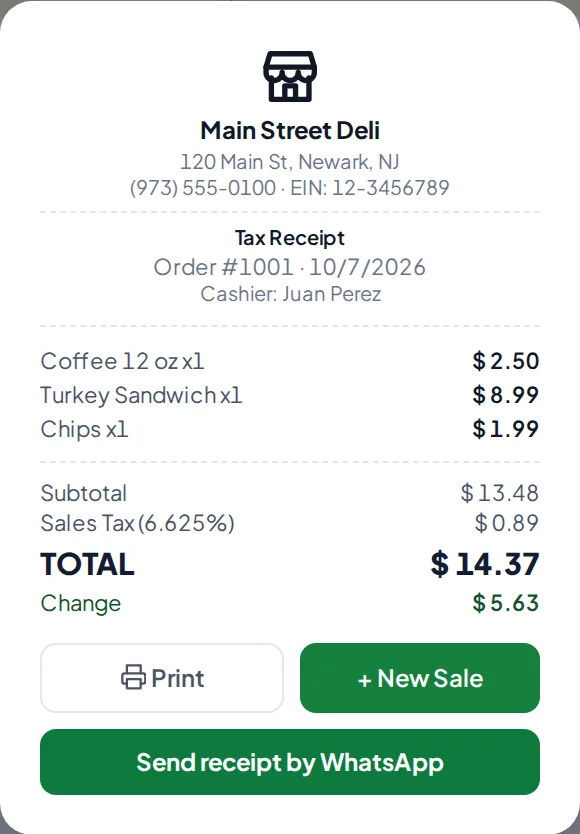
The receipt after charging.
Related articles
Still have questions?
Write to us and we'll reply within one business day.