
Help center › Selling and getting paid
Open and close a shift (cash count)
A shift tells you how much cash should be in the drawer. When you close it, Diego compares what's expected with what you counted.
Open the shift
- When you sign in, the Welcome screen appears. You can also tap Shift at the bottom of the left menu.
- Under Start shift, enter the cash in the drawer (it can be 0) and tap Start Shift.
- If a shift is already open, continue in that shift.
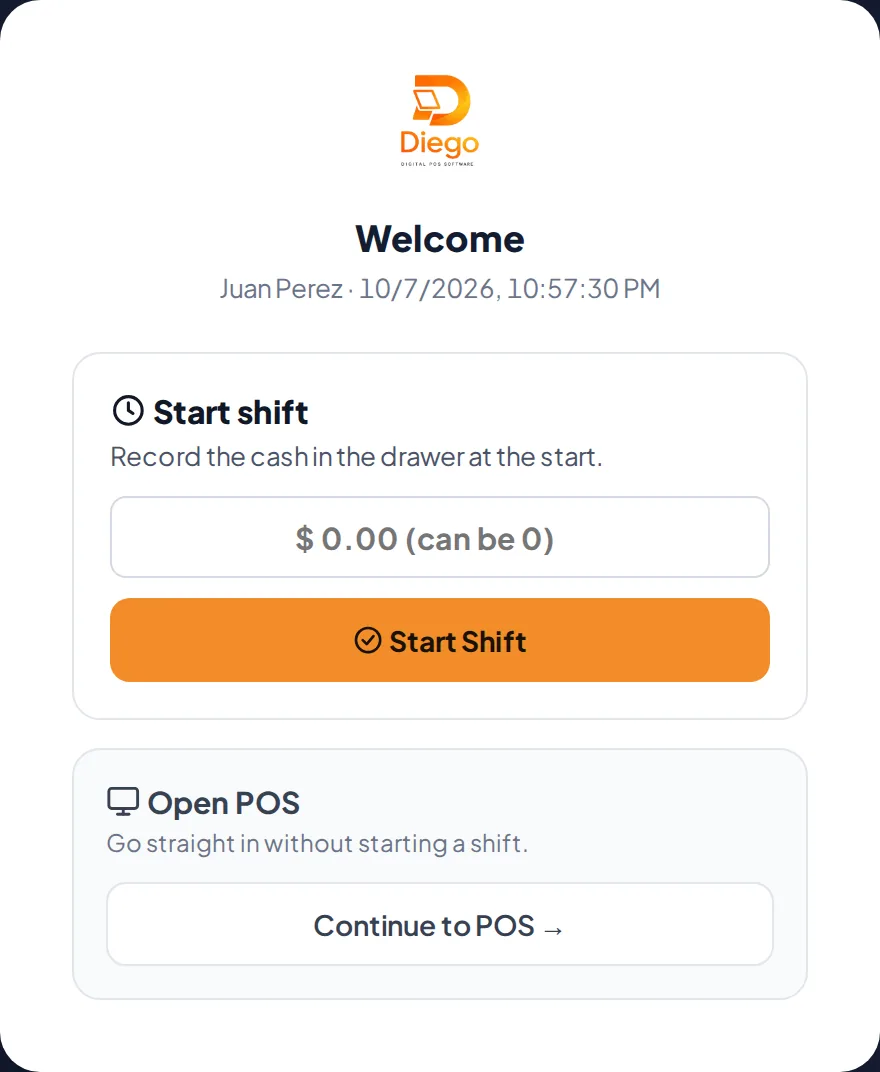
Open the shift with the starting cash.
During the day
- To see how much cash should be in the drawer, go to Point of Sale, tap View drawer and enter your PIN.
- To switch employees without signing out, tap Cashier, enter the employee's PIN and confirm.
Close the shift
- Count the cash in the drawer.
- Tap Closing at the bottom of the left menu.
- Enter the Cash counted in drawer and a PIN (yours, a manager's or the owner's). Tap Close Shift.
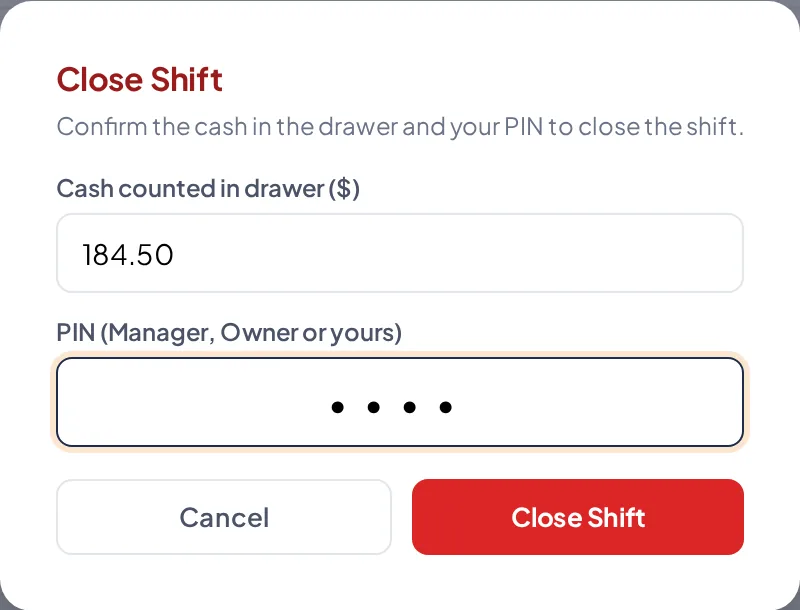
Close Shift: counted cash and PIN. - Diego shows the summary: starting cash, cash sales and payments, expected cash, counted cash and the difference (balanced, short or over).
Related articles
Still have questions?
Write to us and we'll reply within one business day.