
Help center › Salons and barbershops
Add your team for appointments
Each person who takes appointments shows as a column on the Calendar. The admin adds them in Settings.
Add your team
- In Settings, tap the 💇 Staff & appointments tab.
- Enter the Name, Specialty (optional) (for example "Barber") and Phone (optional).
- Tap + Add. Repeat for each person.
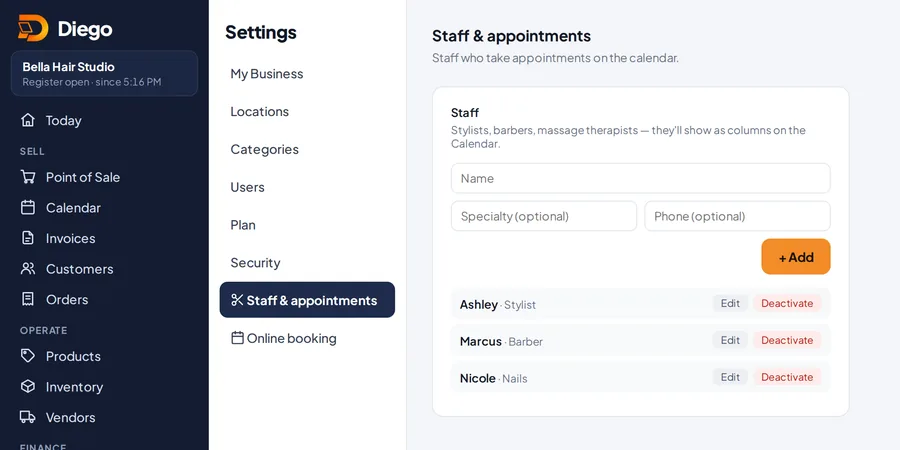
The team that takes appointments.
Change or deactivate
- Tap Edit to change their details, then Save.
- Tap Deactivate if they no longer take appointments. They leave the calendar and online booking, but their past appointments stay.
Related articles
Book appointments on the calendarPick the staff member, the day and a free time to book an appointment. The customer gets an email confirmation.Set up online bookingTurn on your booking page: hours, rules, which services can be booked and who on your team takes bookings.Create and edit productsAdd your products with price, cost, category, barcode, photo and sales tax, and choose whether Diego tracks their stock.
Still have questions?
Write to us and we'll reply within one business day.