
Help center › Salons and barbershops
Set up online booking
With online booking, customers book themselves from a link you share on Instagram, WhatsApp or Google. Appointments go straight to your Calendar.
Set up your page
- In Settings, tap 📅 Online booking.
- Your page link: choose the link name (lowercase letters, numbers and dashes only).
- Business hours: check the days you're open and the opening and closing times.
- Rules: the Time between slots, Minimum notice to book, how many days ahead people can Book up to, and Online cancelling until.
- Bookable services: check the services and set how many minutes each one takes.
- Team members who take bookings: check the people and choose Business hours or Own schedule.
- Add your WhatsApp, Instagram and a Welcome message if you like, then tap Save online booking.
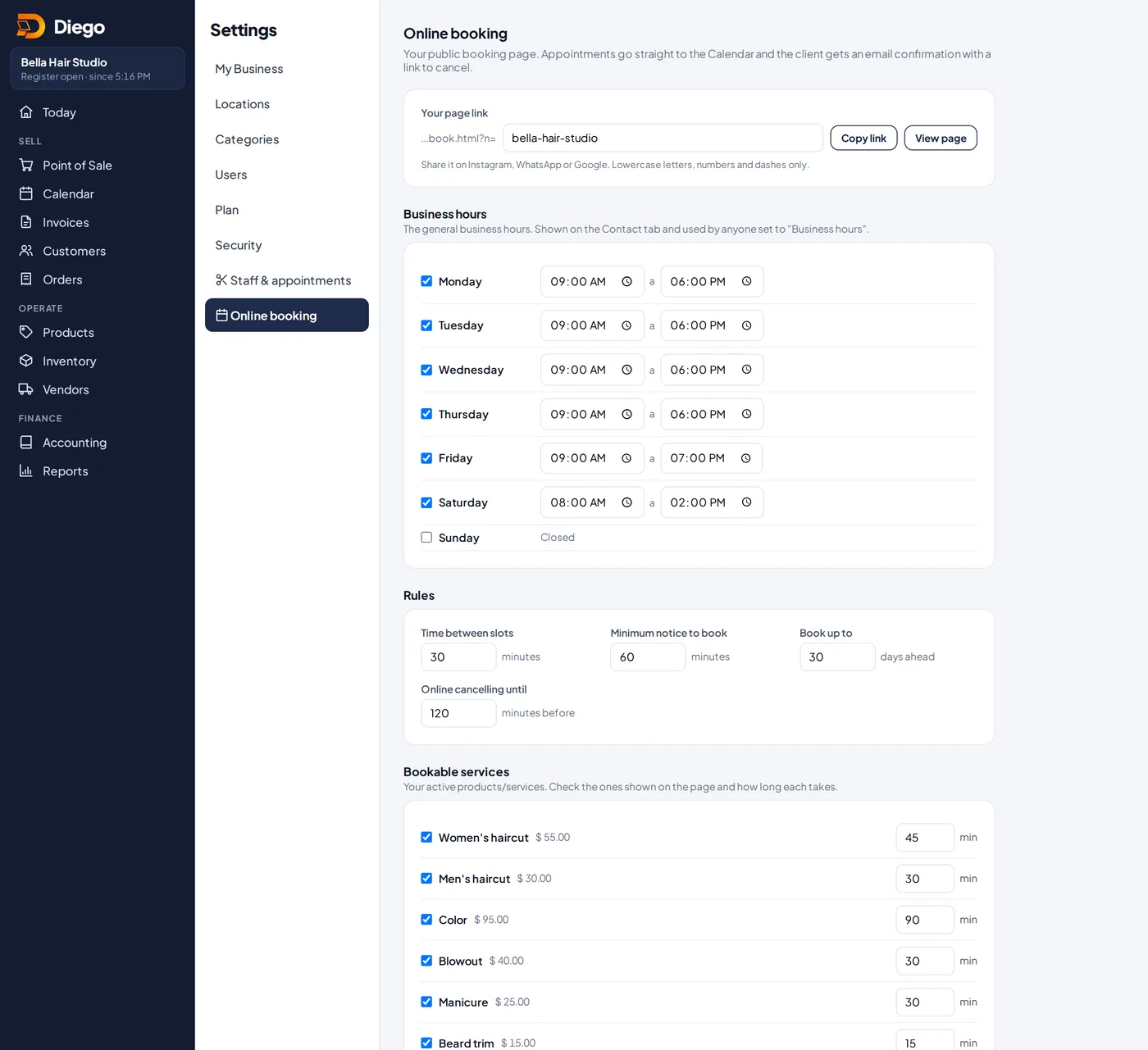
The online booking settings.
Share the link
- Tap Copy link and paste it in your Instagram bio, WhatsApp status or Google profile. View page opens it.
See the bookings
- In Calendar, tap the 🌐 Online bookings tab. Bookings from the last 24 hours are tagged New.
Related articles
How your customers book onlineWhat your customer sees on your booking link: service, staff member, day and time, and their confirmation.Book appointments on the calendarPick the staff member, the day and a free time to book an appointment. The customer gets an email confirmation.Add your team for appointmentsAdd your stylists, barbers or therapists so they show on the appointment calendar.
Still have questions?
Write to us and we'll reply within one business day.