
Help center › Salons and barbershops
How your customers book online
Your booking page works on any phone, in English or Spanish, with nothing to download.
Step by step
- The customer opens your link and picks a service under Choose a service. They see the length and price.
- Under With whom, they tap ⚡ First available time or pick someone on your team.
- Under Date and time, they pick the day and an open time.
- Under Your details, they enter their name, phone and email, and tap Confirm booking.
- They see You're booked, can Add to my calendar, and get an email with a link to cancel.
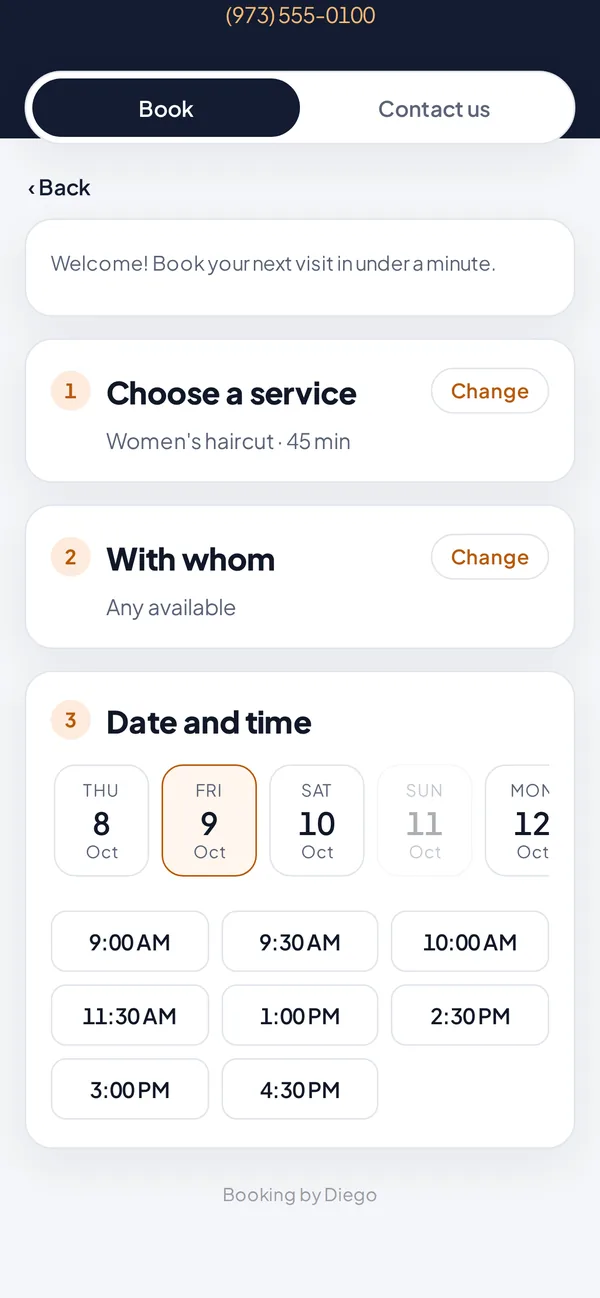
The booking page on a customer's phone.
Contact
- The Contact us tab shows your address with directions, your phone, WhatsApp, Instagram and hours.
Related articles
Still have questions?
Write to us and we'll reply within one business day.