
Help center › Salons and barbershops
Book appointments on the calendar
The Calendar shows appointments by person and by day, in 30-minute slots.
Book an appointment
- In the menu, tap Calendar.
- Under 1 · Staff, pick the person. Overview (all) shows the whole team in columns.
- Under 2 · Date, pick the day. Use ← and → to change weeks, or Today.
- Under 3 · Time, tap + Available at the time you want.
- In New Appointment, find the customer with Search Existing or create one with + New Customer (name and phone; the email is for the confirmation).
- Choose the Service (optional) and Duration (minutes), add Notes if needed, and tap Book Appointment.
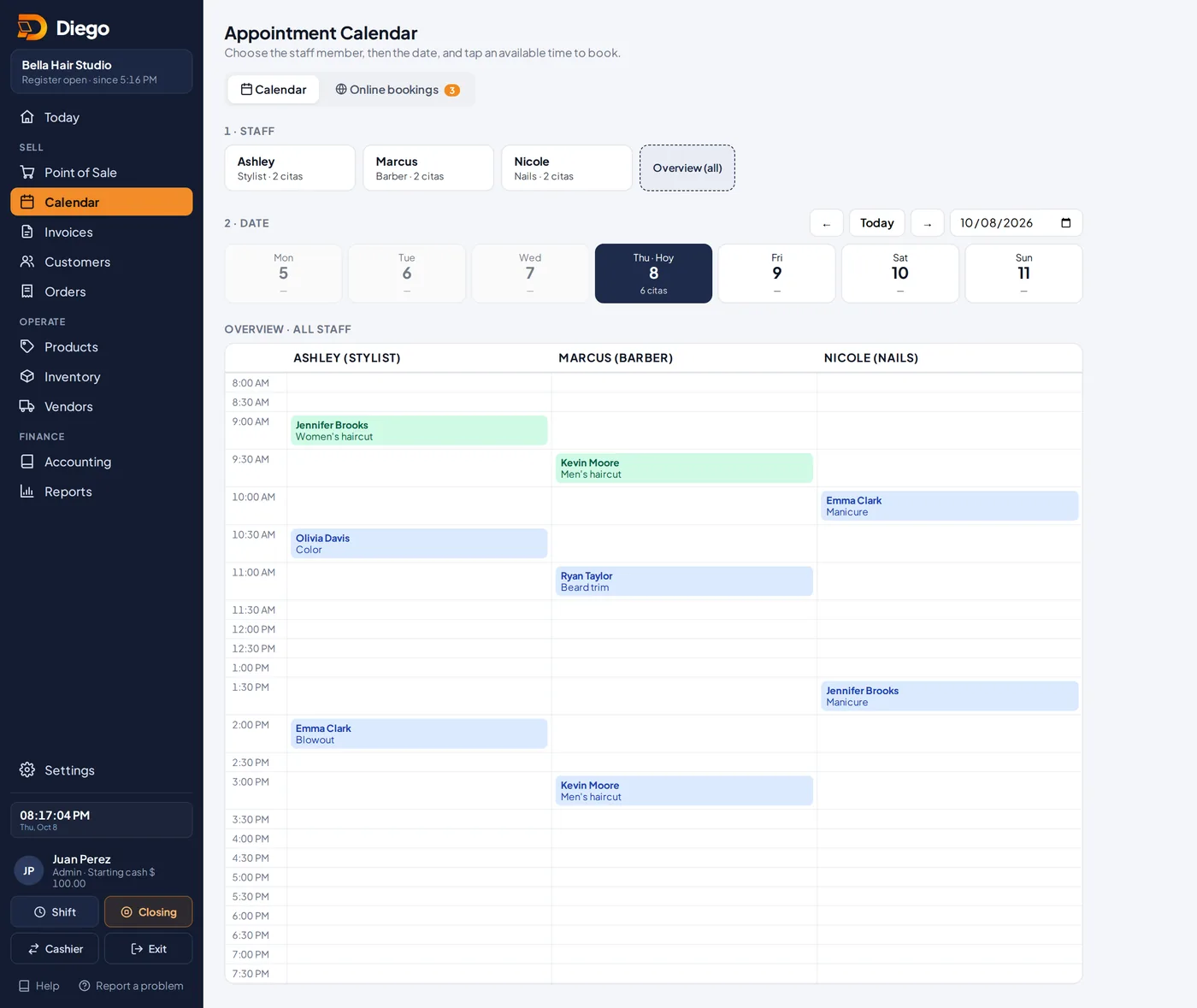
The day's calendar with appointments and open times.
After the appointment
- Tap the appointment to open the Appointment Detail.
- Tap Mark Completed, Cancel Appointment or No Show.
- Charge the service at the Point of Sale.
Related articles
Add your team for appointmentsAdd your stylists, barbers or therapists so they show on the appointment calendar.Set up online bookingTurn on your booking page: hours, rules, which services can be booked and who on your team takes bookings.Services with a variable priceFor services without a fixed price, like color by hair length: you type the price when you charge.
Still have questions?
Write to us and we'll reply within one business day.