
Help center › Auto repair shops
Shop estimates and turning them into invoices
Shop estimates carry the vehicle. When you convert one, the invoice gets the same customer, vehicle, lines and amounts.
Create the estimate
- In Estimates, tap + New estimate.
- Choose the Registered customer. Diego picks their newest vehicle; change it under Vehicle (optional) or tap + New vehicle. Enter the Odometer (optional).
- If the customer isn't registered, type their name and fill in Customer vehicle. When you save, Diego adds them and their vehicle to Customers.
- Add the Lines (parts and labor), Notes / terms, and tap Save estimate.
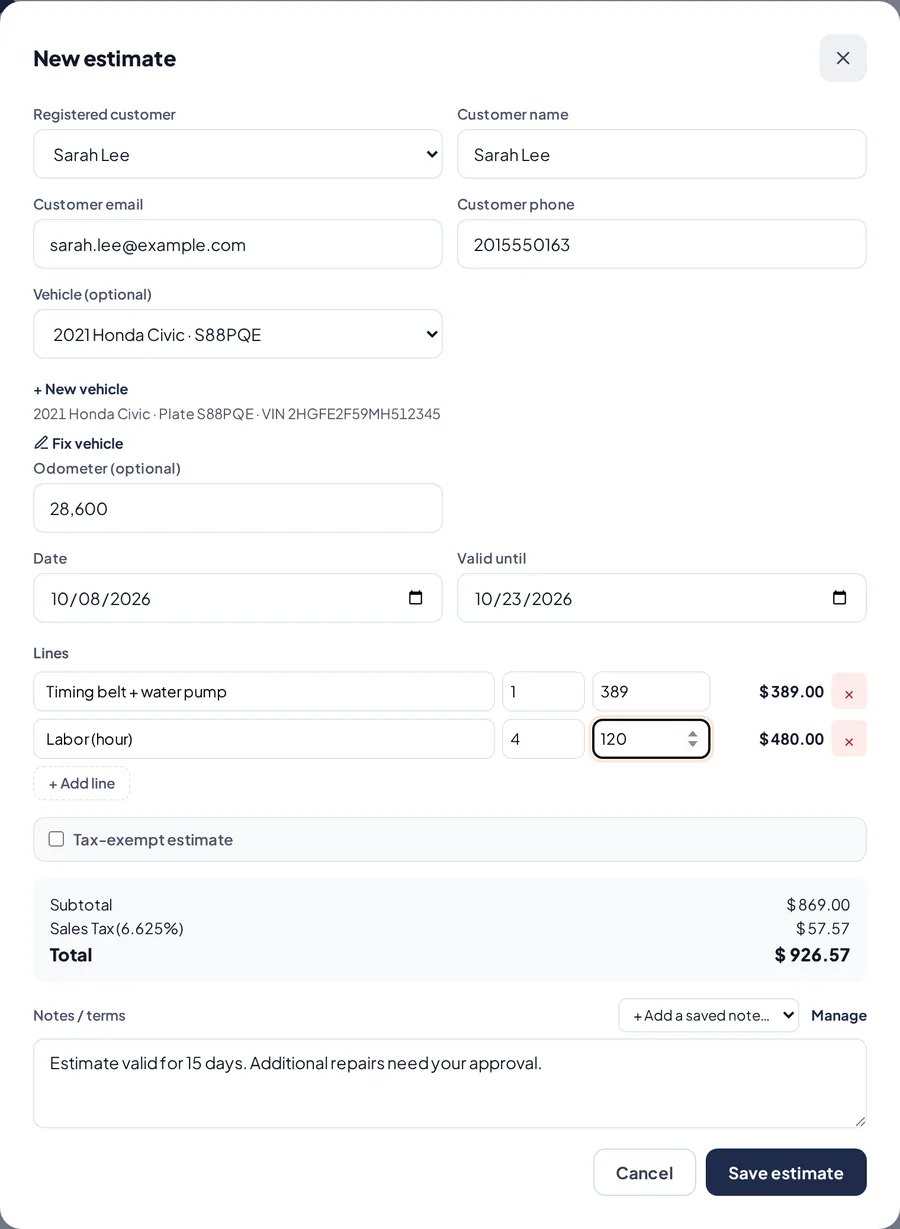
A shop estimate with the vehicle.
Turn it into an invoice
- Tap View, then ✓ Convert to Invoice.
- The invoice is created in Invoices — Shop with the vehicle and odometer, and its notes say which estimate it came from.
Related articles
Create estimates and turn them into invoicesCreate estimates for your customers, send them by email or WhatsApp, and turn them into an invoice with one tap when they accept.Create a shop invoice with the vehicleCreate a shop invoice with the customer, their vehicle, the repair order, mileage, parts and labor.Saved notes for invoices and estimatesWrite your warranty or terms once and pick them when you create an invoice or estimate.
Still have questions?
Write to us and we'll reply within one business day.