
Help center › Auto repair shops
Create a shop invoice with the vehicle
In an auto shop, Invoices becomes Invoices — Shop, and every invoice carries the vehicle details.
Customer and vehicle
- In the menu, tap Invoices, then + New Invoice.
- Under Customer, use Search Existing (by name, phone or email) or + New Customer (name and phone are required).
- Under Vehicle (optional), pick one of their vehicles, or tap + Add New Vehicle and enter Make, Model, Year, License plate and VIN. If a vehicle detail is wrong, tap ✏️ Fix.
Work and amounts
- Enter the Repair Order and Mileage (both optional).
- Under Products / Services, add one line per part or labor item with Description, Price and Qty. Tap + Add Line for more.
- If the customer is tax exempt, check Tax-exempt invoice and enter the Exemption certificate #.
- Add Notes or pick a saved note (your warranty, for example).
- Check the subtotal, sales tax and total, then tap Save Invoice. The number is assigned automatically.
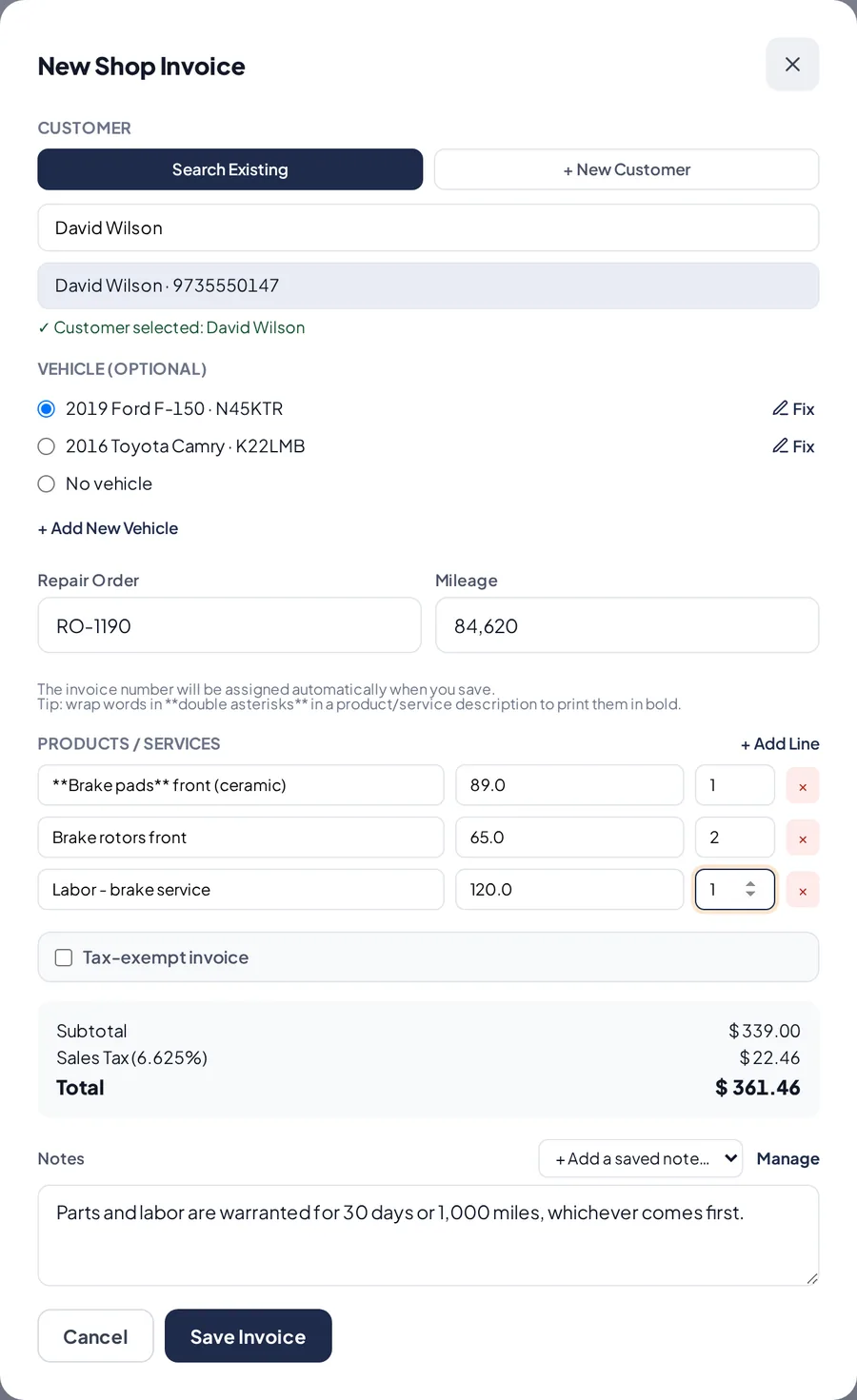
A new shop invoice with the vehicle.
Related articles
Charge, print and send a shop invoiceRecord full or partial payments, print the invoice and send it by email or WhatsApp.Customers and their vehiclesSave each customer's vehicles and fix their details. A fix shows on all their invoices and estimates.Saved notes for invoices and estimatesWrite your warranty or terms once and pick them when you create an invoice or estimate.
Still have questions?
Write to us and we'll reply within one business day.