
Help center › Auto repair shops
Customers and their vehicles
Each customer can have several vehicles, so when you invoice you just pick the vehicle.
Add or edit a vehicle
- In Customers, tap the customer's name to open their Profile.
- Under Vehicles, tap + Add and enter Make, Model, Year, Plate and VIN.
- To fix one, tap ✏️ Edit on the vehicle. To delete it, tap the ×.
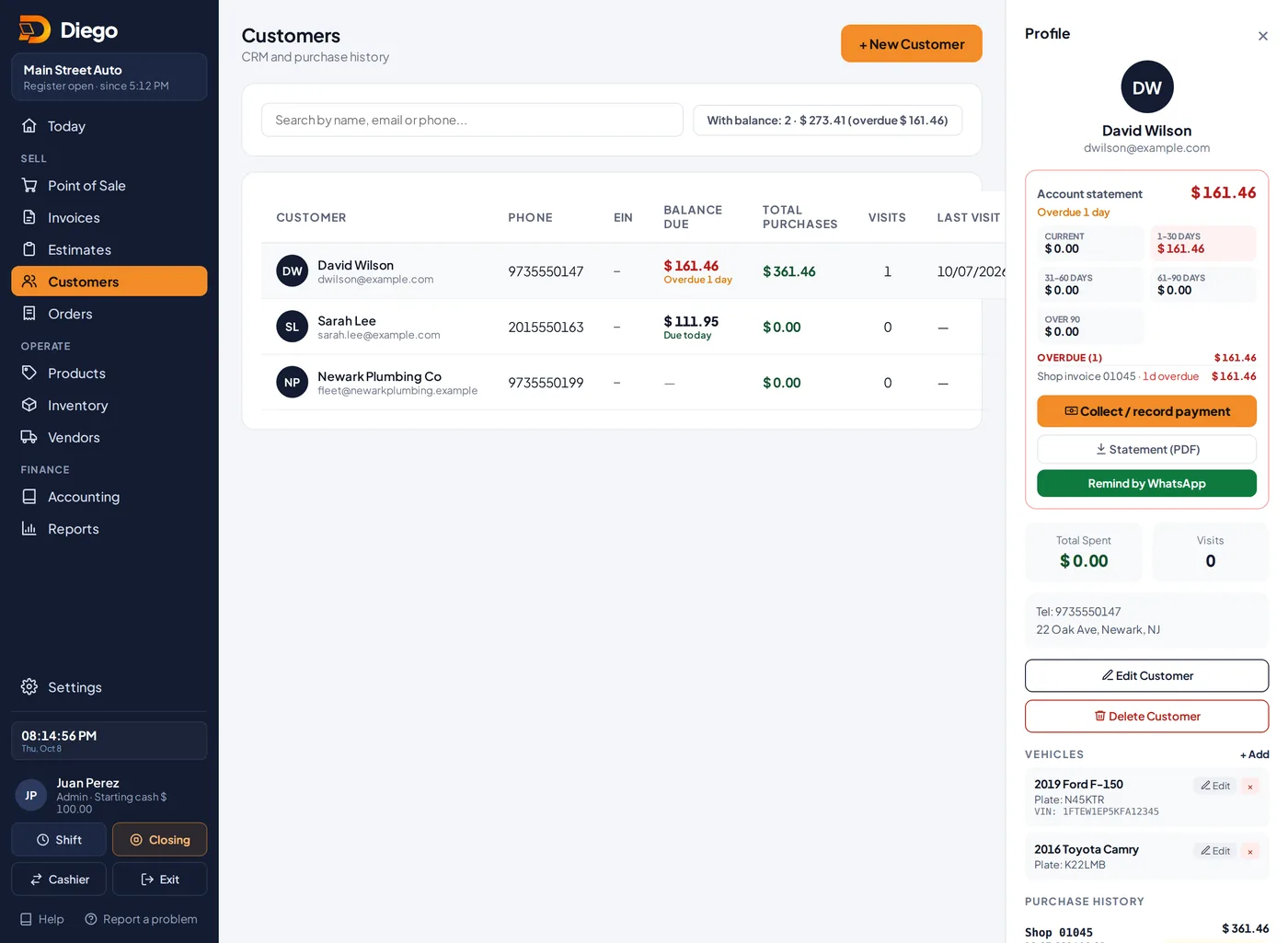
Vehicles on the customer profile.
Fix it from an invoice or estimate
- Tap ✏️ Fix vehicle on the invoice or estimate.
- Change the details and tap Save. The fix shows on every invoice and estimate for that vehicle, including earlier ones.
Related articles
Create a shop invoice with the vehicleCreate a shop invoice with the customer, their vehicle, the repair order, mileage, parts and labor.Shop estimates and turning them into invoicesWrite an estimate with the vehicle and odometer, then turn it into a shop invoice when the customer accepts.Customers and account statementsAdd your customers, see what they owe and for how long, download their statement as a PDF and remind them by WhatsApp.
Still have questions?
Write to us and we'll reply within one business day.