
Help center › Restaurants
Charge a table: full check, by seat and tip
Tables are charged from Tables, on a computer or tablet. Waiters don't take payment.
Charge
- In Tables, tap the table, then 💳 Charge.
- If two or more seats have dishes, choose 🧾 Full check or 👤 By seat, then pick the seat.
- Under Tip, choose No tip, 10%, 15% or 18%, or type a fixed amount. The percentage is calculated on the subtotal, before tax.
- Choose how they pay: Cash, Card or Zelle.
- Check the subtotal, sales tax, tip and total, then tap ✓ Confirm payment.
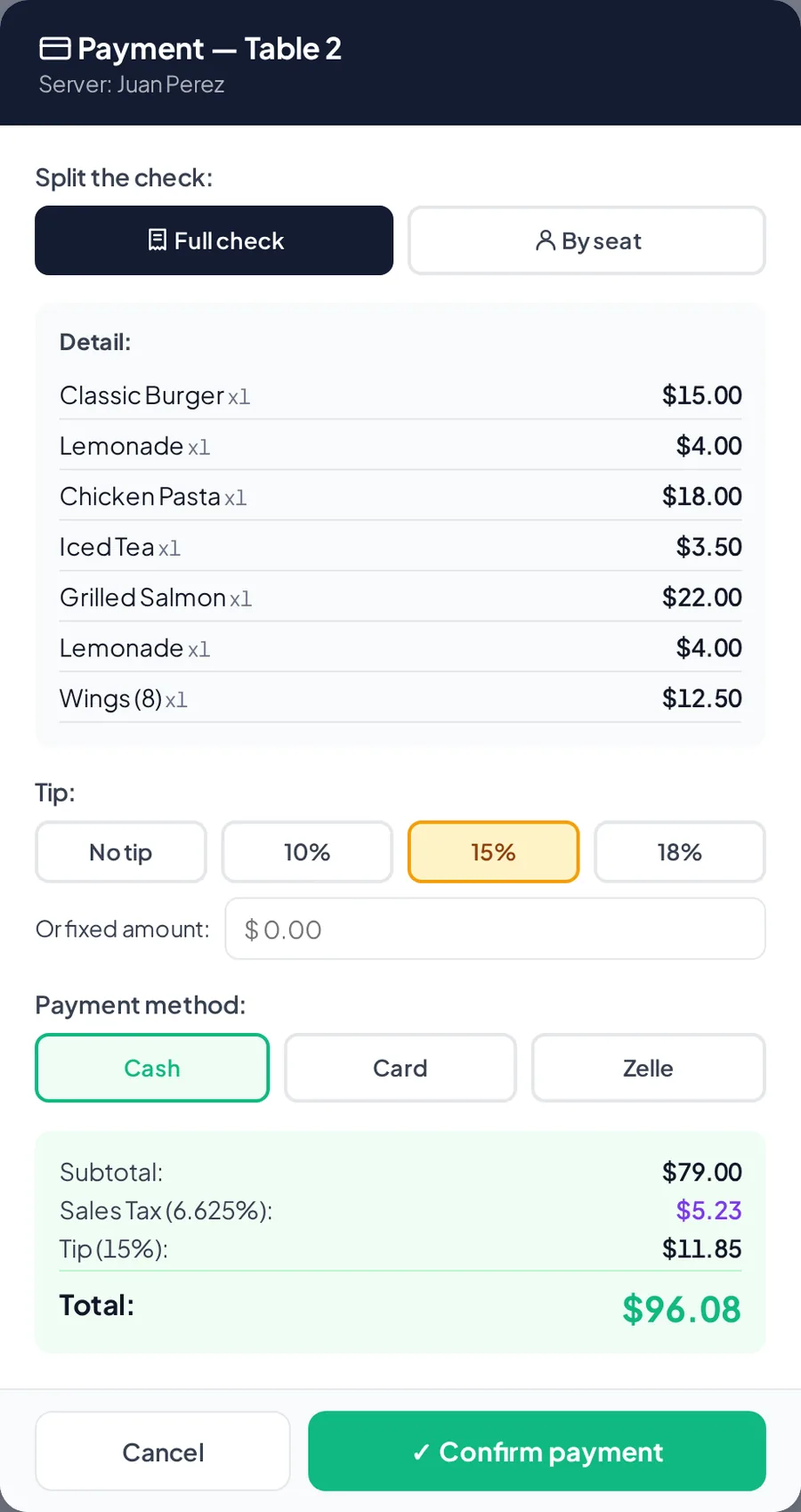
Charging a table with a tip.
After payment
- The receipt prints with the table, who charged it and the tip, and inventory is updated.
- If you charged one seat, the rest of the check stays open for the others.
Related articles
Take a table order and send it to the kitchenOpen a table, add dishes for the whole table or by seat, and send the ticket to the kitchen.Open and close a shift (cash count)Record the starting cash, switch cashiers with a PIN and close the shift by comparing expected cash with what you counted.Takeout and delivery at the Point of SaleIn a restaurant, every Point of Sale order has a type: dine in, takeout, or delivery with the address.
Still have questions?
Write to us and we'll reply within one business day.