
Help center › Selling and getting paid
Find, reprint and void orders
Orders is the history of every sale your business has made.
Find a sale
- In the menu, tap Orders.
- Type in Search by order #, customer or table... or use the Completed, Pending and Voided filters.
- Tap an order to see the Detail: items, subtotal, tax, total, payment method, and any discount with who approved it.
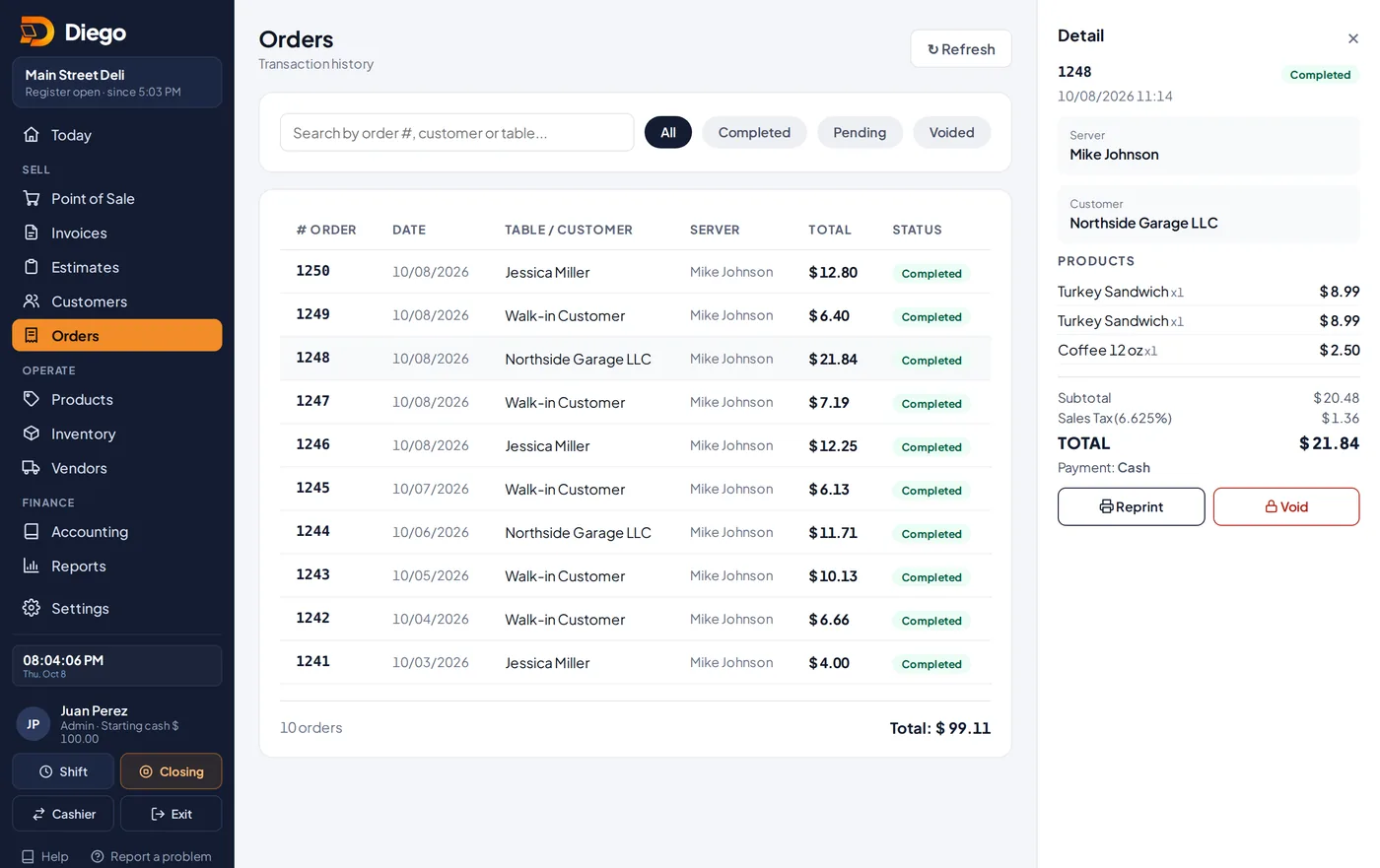
The detail of an order.
Reprint the receipt
- In the detail, tap 🖨️ Reprint.
Void a sale
- In the detail, tap 🔒 Void.
- Enter the Reason for voiding and tap Continue →.
- A manager or the owner types their PIN and taps ✓ Authorize.
- The order is marked Voided, with who voided it, the reason and the time.
Related articles
Make a sale at the Point of SaleAdd products, choose the customer and payment method, calculate change and give the receipt on paper or by WhatsApp.Open and close a shift (cash count)Record the starting cash, switch cashiers with a PIN and close the shift by comparing expected cash with what you counted.
Still have questions?
Write to us and we'll reply within one business day.