
Help center › Reports and accounting
Drawer status and shift history
Without closing the shift, you can check how much should be in the drawer.
Check the drawer
- In Point of Sale, tap View drawer.
- Enter your PIN and tap Verify PIN.
- You'll see Starting cash, Cash sales, Invoice payments (cash), Cash tips, Expected in drawer, Card sales and Other methods.
Review the history
- If you're an admin or manager, tap View shift history (30 days).
- Each shift shows when it opened and closed, what was Expected, what was Counted, and the difference.
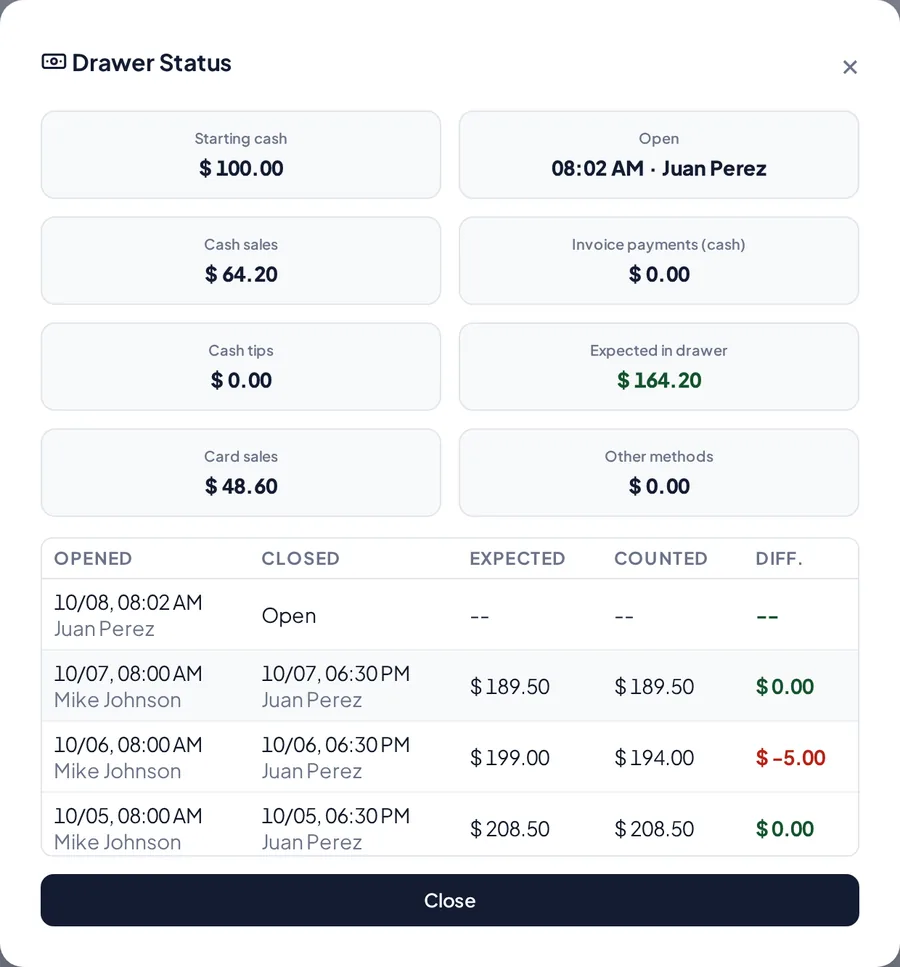
Drawer status with shift history.
Related articles
Still have questions?
Write to us and we'll reply within one business day.